What to do when you have completed a task on Cochrane Engage
Last updated: Nov 05, 2025
6078
views

For task responders: What to do when you have completed a task on Cochrane Engage
- Log in to Cochrane Engage
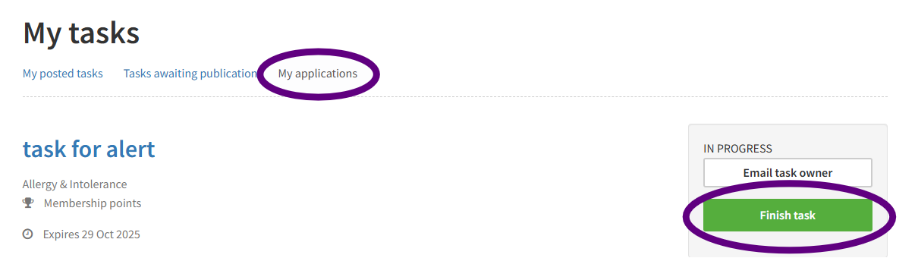
- Click on My tasks
- Go to My applications
- Find the task that you have finished
- Click on Finish task
- Either click on "Finish without sending message"
- or add an optional message and/or up to 3 attachments, then click "Finish and send message"
- You will receive a confirmation email, and will be awarded 200 Cochrane Membership points that you can see in your Cochrane Account.